> For the complete documentation index, see [llms.txt](https://bellingcat.gitbook.io/toolkit/llms.txt). Markdown versions of documentation pages are available by appending `.md` to page URLs; this page is available as [Markdown](https://bellingcat.gitbook.io/toolkit/more/all-tools/jimpl.md).

# Jimpl

Online EXIF data viewer

## URL

<https://jimpl.com/>

## Description

Jimpl is a web-based tool for viewing [EXIF](https://www.canon-europe.com/pro/infobank/all-about-exif/) (or exchangeable image file format) metadata for images. EXIF is a type of data that is hidden within image and audio files that can be read by a computer but aren't visible or audible within the viewed file. It's how your smartphone knows where an image was taken, an audio recording knows the exact time it was recorded, and even contains the exact settings that a digital camera used to capture a photo. There are over 300 different fields of EXIF data, ranging from time and location data to commentary inserted by the creator.

Jimpl also contains an EXIF scrubber that takes your uploaded file and returns to you a file that contains no identifying EXIF data. The scrubbing tool and data viewer tool are visually quite similar, so be sure to return to the website's home page if you need to use the data viewer tool and not the scrubber.

## Cost

* [x] Free
* [ ] Partially Free
* [ ] Paid

## Level of difficulty

<table><thead><tr><th data-type="rating" data-max="5"></th></tr></thead><tbody><tr><td>1</td></tr></tbody></table>

## Requirements

No login is required and the program runs entirely online. You just need a compatible image or audio file.

## Limitations

* Jimpl does not process images larger than 50mb. This is problematic because compressing an image or audio file, depending on the mechanism, can cause you to lose EXIF data.
* [Many online platforms](https://scanly.co/blog/social-media-exif-stripping) will scrub the EXIF data of an image for privacy reasons when posting them. Instagram, Discord, and X, among others, all remove most identifying EXIF information. For this reason, Jimpl data is often very limited unless you have an unscrubbed version of the original file.

## Ethical Considerations

* Jimpl operates by looking at the metadata of a file that you upload to their server. While the website claims that all files are never shared with others and deleted after 24 hours, there may be security cases that dictate that you should avoid uploading the file to a third-party source such as Jimpl.
* As with all open-source research, it is the researcher's duty to use discovered information legally and ethically. Data that you discover through EXIF tools may contain personal information that should not be published or disseminated in the interest of individuals' rights to privacy.
* Metadata is easy to remove or alter. Nothing that you discover through Jimpl should be taken as fact without cross-verification.
* Jimpl is a website with a lot of personalized ad space. If you're sharing your screenshots, you may wish to crop them out or to access Jimpl in a private/icognito browser to avoid giving away personal information.

## Guide

A basic example of an investigation with Jimpl.

{% tabs %}
{% tab title="Open Jimpl and upload image" %}

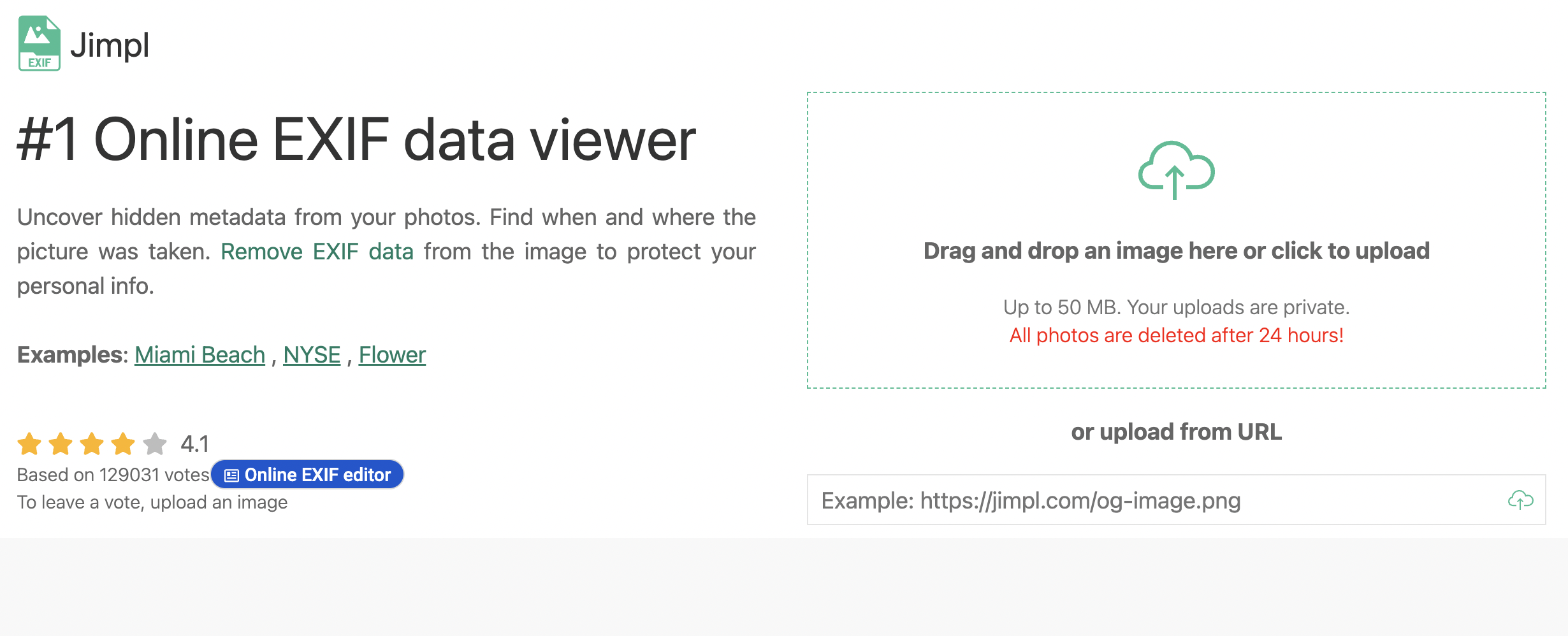
<figure><img src="https://1607018381-files.gitbook.io/~/files/v0/b/gitbook-x-prod.appspot.com/o/spaces%2FFuL0vtRVpXHiKZgFkMFR%2Fuploads%2Fgit-blob-189d0e70a529df53b0130f2dee7465baf9511478%2FScreen%20Shot%202026-09-23%20at%2010.28.19%20AM.png?alt=media" alt=""><figcaption><p>Navigate to <a href="https://jimpl.com/">https://jimpl.com/</a> and upload your image. You can paste a link to a web image or drag and drop a file from your computer.</p></figcaption></figure>
{% endtab %}

{% tab title="Review the metadata" %}

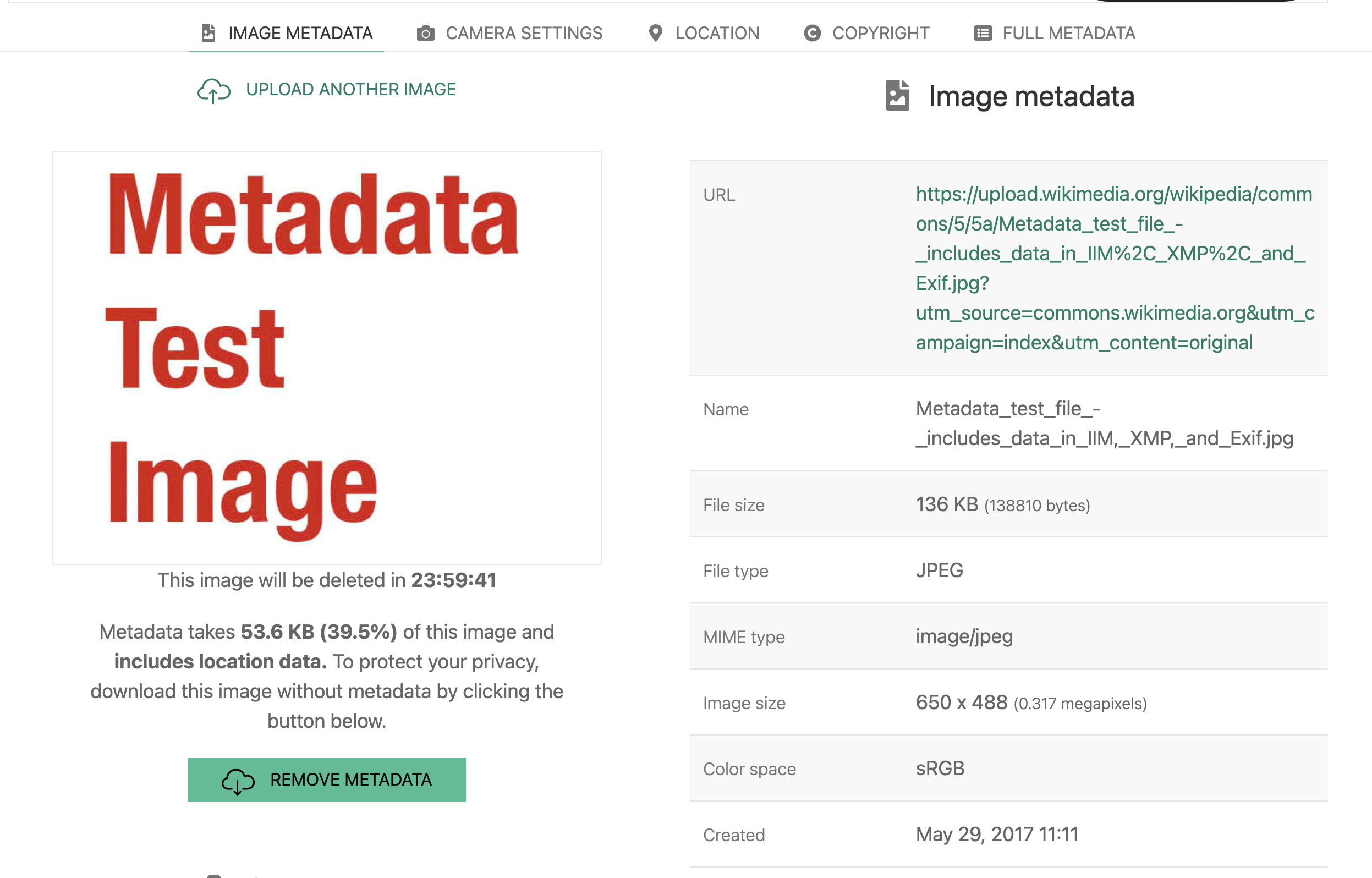
<figure><img src="https://1607018381-files.gitbook.io/~/files/v0/b/gitbook-x-prod.appspot.com/o/spaces%2FFuL0vtRVpXHiKZgFkMFR%2Fuploads%2Fgit-blob-2142d21c895e7efdb47525bb4dc87bc9d78ec012%2FScreen%20Shot%202026-09-23%20at%2010.39.37%20AM.png?alt=media" alt=""><figcaption><p>In this case, we used the Metadata Test Image available on <a href="https://commons.wikimedia.org/wiki/File:Metadata_test_file_-_includes_data_in_IIM,_XMP,_and_Exif.jpg">Wikimedia</a> that contains data in a plethora of EXIF fields. At the top, you can see tabs for different types of metadata which Jimpl has sorted into distinct fields.</p></figcaption></figure>
{% endtab %}

{% tab title="Navigate the tabs" %}

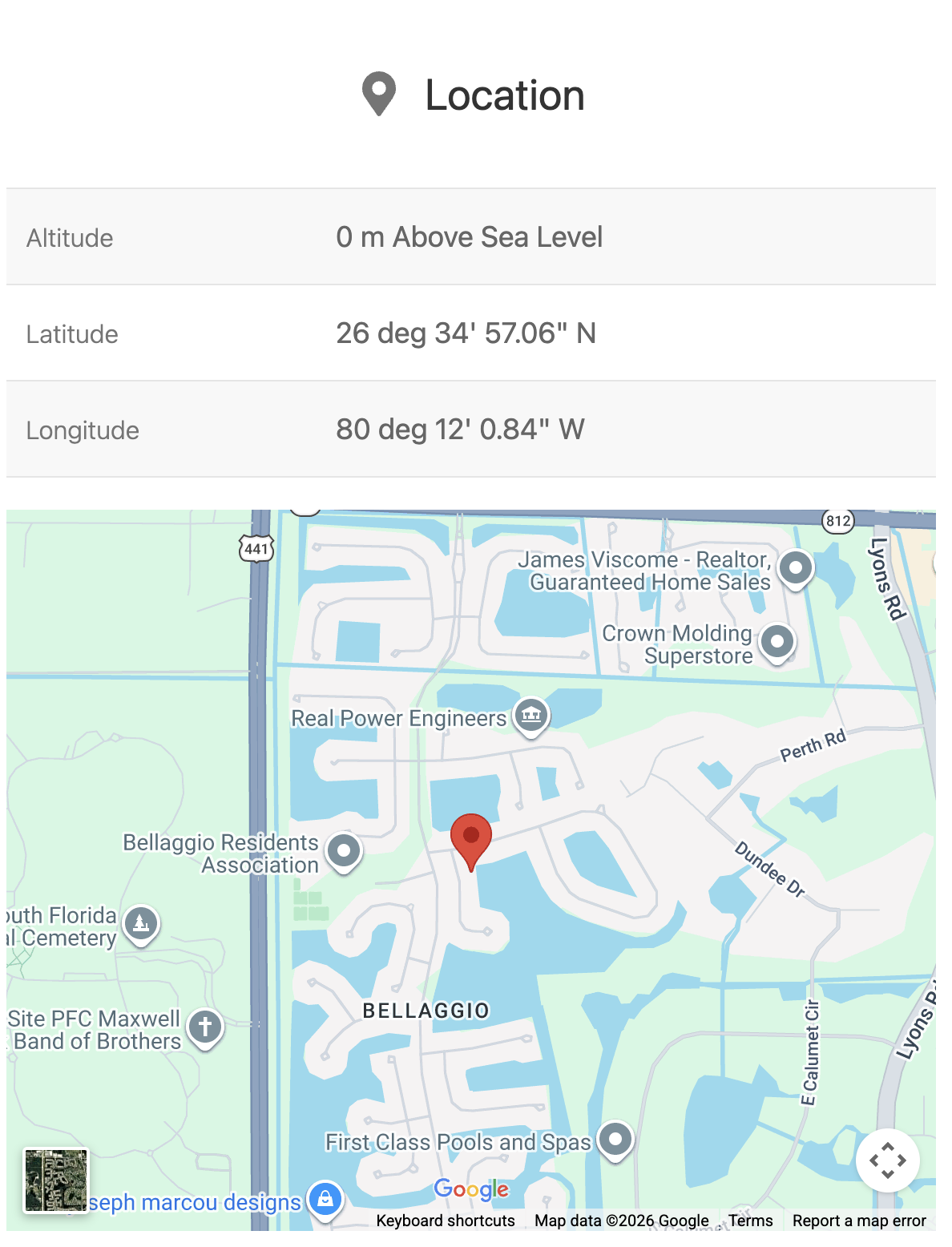
<figure><img src="https://1607018381-files.gitbook.io/~/files/v0/b/gitbook-x-prod.appspot.com/o/spaces%2FFuL0vtRVpXHiKZgFkMFR%2Fuploads%2Fgit-blob-4546e80e3789a462579aa3f9565af6b37676219d%2FScreen%20Shot%202026-09-23%20at%2010.46.11%20AM.png?alt=media" alt=""><figcaption><p>Each tab can be found by clicking on it at the top, or by simply scrolling down. The location tab, for example, contains both the geographic coordinates that the photo was taken at, as well as a Google Maps widget giving you a visual representation of that location.</p></figcaption></figure>
{% endtab %}
{% endtabs %}

## Tool provider

Jimpl was made by a web developer named Toni from Romania.

| Page maintainer                                             |
| ----------------------------------------------------------- |
| Maintained by Nathan Burke. Late updated in September 2026. |


---

# Agent Instructions
This documentation is published with GitBook. GitBook is the documentation platform designed so that both humans and AI agents can read, navigate, and reason over technical content effectively. Learn more at gitbook.com.

## Querying This Documentation
If you need additional information that is not directly available in this page, you can query the documentation by asking a question.

Perform an HTTP GET request on the following URL with the `ask` and `goal` query parameters:

```
GET https://bellingcat.gitbook.io/toolkit/more/all-tools/jimpl.md?ask=<question>&goal=<user_goal>
```

`ask` is the immediate question: it should be specific, self-contained, and written in natural language.
`goal` is what the user is ultimately trying to achieve, the reason they need the answer. Sharing it helps GitBook give you a better, more relevant answer. A goal is most helpful when it describes the outcome the user wants rather than restating the question. For example, with `ask=how do I create an API token`, a goal like `automate deployments from our CI pipeline` lets GitBook tailor the answer to that use case.

The response will contain a direct answer to the question and relevant excerpts and sources from the documentation.

Use this mechanism when the answer is not explicitly present in the current page, you need clarification or additional context, or you want to retrieve related documentation sections.