# What CMS

## URL

<https://whatcms.org/>

## Description

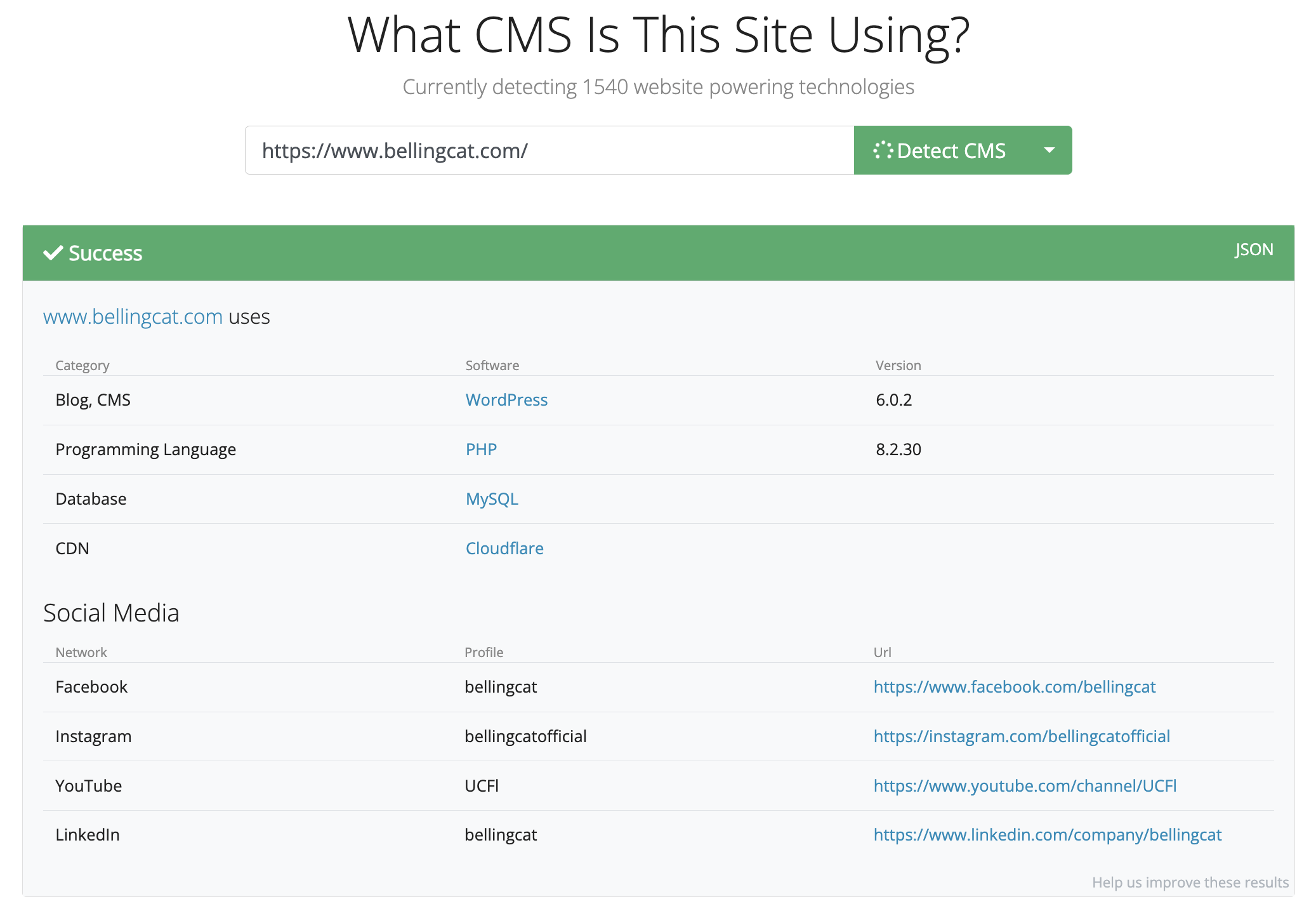
Whatcms is a tool that you can use to identify the technologies used to power a website.\
A couple of examples of what the website is able to detect:\
Content Management Systems (CMS)\
Programming languages\
Specific plugins

The website will help you understand what CMS is being used and to identify the less visible components. This information can help to create a digital footprint of an individual or organization or track changes over time.

Paid subscriptions also allow batch processing which allows the user to upload lists of URL's to be analysed simultaneously. It also has Private Detections which gives you the option to detect other technologies such as databases.

## Cost

* [ ] Free
* [x] Partially Free
* [ ] Paid

The website has a free version with limited features which allows 500 detections and the API will allow you to request 1 URL every 10 seconds.\
The paid subscriptions range from 15 to 600 euros per month, with options for Batch Processing and Private Detections.

## Requirements

You can use the basic features on the website for free, but registration is necessary if you want to use the API or other functions.

## Limitations

According to their own[ website](https://whatcms.org/), there are some limitations. Websites that use custom CMSs or security measures to hide their technologies might not be detected accurately. The free version also has limited usage which could restrict further/broader research.

## Ethical Considerations

Like every tool, ensure that the use of the tool is within the law, the site's terms of services, and ethical OSINT guidelines.

## Guides and Articles

{% embed url="<https://www.bellingcat.com/news/2022/05/24/fascist-fashion-how-mainstream-businesses-enable-the-sale-of-far-right-merchandise/>" %}

## Tool Provider

{% embed url="<https://whatcms.org/>" %}


---

# Agent Instructions: Querying This Documentation

If you need additional information that is not directly available in this page, you can query the documentation dynamically by asking a question.

Perform an HTTP GET request on the current page URL with the `ask` query parameter:

```
GET https://bellingcat.gitbook.io/toolkit/more/all-tools/what-cms.md?ask=<question>
```

The question should be specific, self-contained, and written in natural language.
The response will contain a direct answer to the question and relevant excerpts and sources from the documentation.

Use this mechanism when the answer is not explicitly present in the current page, you need clarification or additional context, or you want to retrieve related documentation sections.